
Description
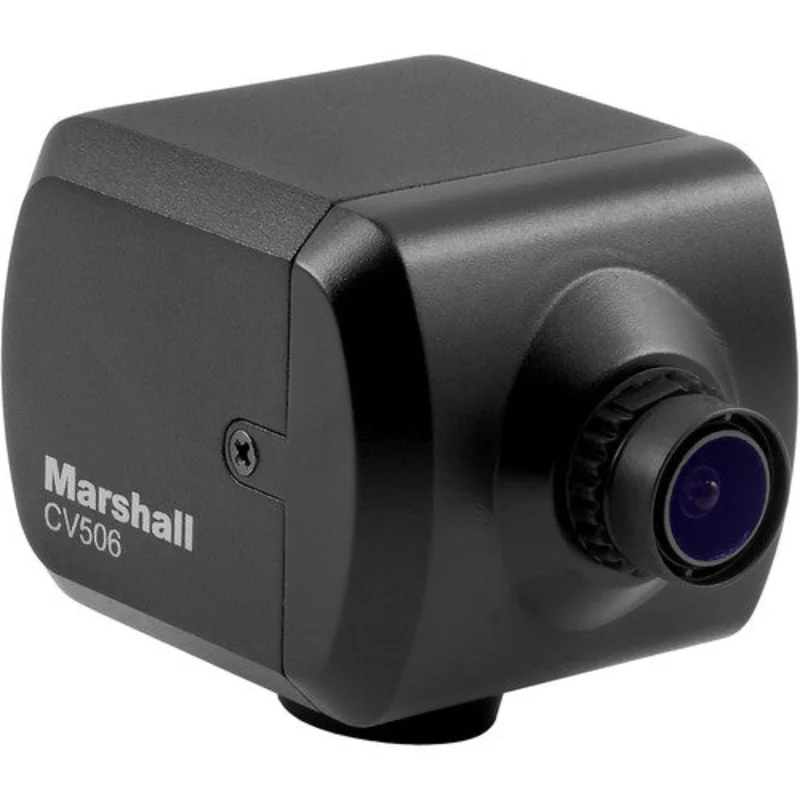
Marshall Miniature Full-HD Camera (3G/HDSDI & HDMI) – CV506
What our Experts Think
-
Dual Output Flexibility – Offers both 3G‑SDI and HDMI outputs, making it easy to connect to professional monitors, recorders, or consumer displays without adapters.
-
Full HD Imaging – Captures crisp 1080p video with reliable detail and color, suitable for broadcast, live production, or surveillance.
-
Compact, Lightweight Design – Small form factor fits tight installs on rigs, drones, POV angles, or mobile setups without adding bulk.
-
Robust Signal Performance – Stable SDI output and clean HDMI transmission ensure dependable video quality over longer runs.
-
Versatile Integration – Works seamlessly with switchers, capture cards, and multi‑camera systems in professional workflows.
Q&A
Q: What video quality can the CV506 capture?
A: It delivers Full‑HD 1920×1080p video with support for 1080i and 720p formats at up to 60 fps.
Q: What outputs does it have?
A: Simultaneous 3G/HD‑SDI (BNC) and HDMI outputs let you connect directly to professional SDI systems and consumer/production HDMI gear.
Q: Does it come with a lens?
A: Yes — includes an interchangeable M12‑mount lens (stock ~3.6 mm, ~72° horizontal FOV).
Q: Can you adjust the image settings?
A: Yes — remote adjustments via RS‑485 (Visca) or OSD joystick let you fine‑tune white balance, exposure, gain, gamma, and more.
Q: Is audio supported?
A: Stereo audio input is available and can be embedded on the SDI output.
Q: What power does the camera need?
A: Powered by 12 VDC (included in the box).
Q: Where is this camera best used?
A: Excellent for broadcast, live events, POV, corporate video, house of worship, courtroom, and reality production workflows.
Q: What’s a key advantage?
A: Combines professional SDI + HDMI outputs, remote control, and compact size for versatile Full‑HD capture.
Maintenance Tips
-
Keep Lens Clean – Use a soft, lint-free cloth to prevent scratches and maintain image clarity.
-
Handle Cables Carefully – Avoid sharp bends or tension on SDI, HDMI, and power cables.
-
Ensure Proper Ventilation – Prevent overheating during extended operation.
-
Stable Power Supply – Use recommended voltage to protect internal electronics.
-
Secure Mounting – Confirm camera is firmly mounted to avoid misalignment.
-
Inspect Connectors Regularly – Check SDI, HDMI, and power connections for wear or looseness.
-
Protect from Dust & Moisture – Store in a clean, dry environment when not in use.
-
Firmware & Compatibility Checks – Periodically update drivers and verify device compatibility.


Reviews
There are no reviews yet.